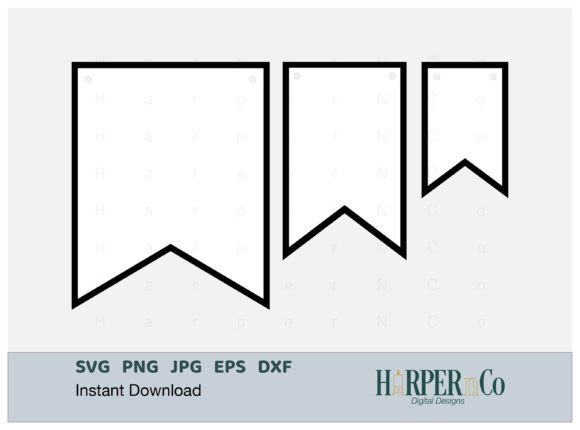
Flag Banner SVG: Create Stunning Bunting & Pennant Garlands
There is a distinct charm to physical party decor that digital graphics struggle to replicate—until now. When you are designing for a specific event or building a brand identity around a vintage or playful aesthetic, the Flag Banner SVG collection serves as a foundational design asset. This specific set of Bunting Pennant Garland files is designed to bridge the gap between digital precision and the tactile warmth of handmade party decor. Whether you are a crafter preparing for a milestone celebration or a graphic designer developing a new logo design, this resource offers the versatility needed for modern creative projects.
The Anatomy of a Perfect Party Decor Asset
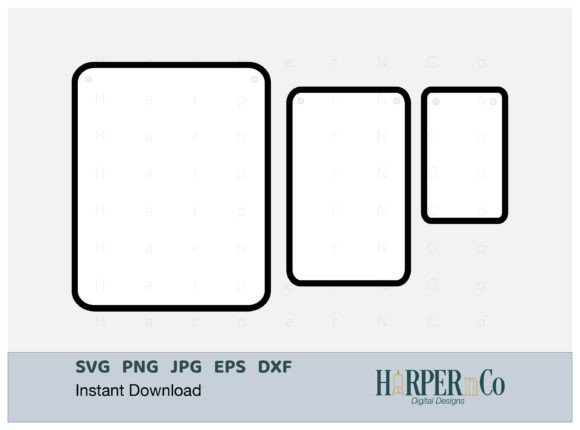
At its core, this collection provides three distinct sizes of a two-layered banner design. This isn't just about offering different dimensions; it is about optimizing workflow. The sizes are specifically calculated to utilize standard paper dimensions most efficiently, minimizing waste and simplifying the cutting process. For users of cutting machines like Cricut or Silhouette, this attention to layout means less time rearranging nodes and more time creating.
Visually, the two-point flag design is a classic archetype. It mimics the look of traditional garlands and pennants that might be strung across a room for a child's birthday or a vintage market stall. The layered SVG capability adds depth. Instead of a flat, one-dimensional shape, you can cut a background layer and a foreground pattern layer, allowing you to mix and match cardstock colors and textures. This creates a professional, tactile finish that flat prints cannot match.
Practical Applications for Designers and Entrepreneurs
While the immediate use case seems to be physical party decor, the utility of a high-quality Bunting SVG extends far beyond paper crafts. In web design and social media graphics, banners are often used to highlight promotions, sales, or new blog posts. Using a Flag Banner SVG as a container for text creates a focal point that draws the eye without cluttering the visual hierarchy of the page.
For small business owners, specifically those in the e-commerce space, these files are invaluable for packaging design. Imagine a boutique clothing brand that uses a small paper pennant as a thank-you note or a hang tag. It adds a layer of perceived value and care to the unboxing experience. Furthermore, for content creators and bloggers, these assets can be used to create physical props for flat-lay photography, adding a festive element to product shots or lifestyle imagery.
Customization: Beyond the Template
A common limitation with pre-made templates is rigidity. However, because these are SVG files, they are fully scalable and editable within vector software like Adobe Illustrator or Inkscape. The prompt notes that "font/text is not included," which is actually a significant advantage. It allows you to maintain your existing brand identity.
If your brand uses a specific serif font for elegance or a bold sans serif font for modern impact, you can overlay that typography directly onto the banner shape. This ensures consistency across all marketing materials. You are not forced to adopt a generic handwritten font that might clash with your established typeface choices. Instead, you treat the banner as a flexible frame.
Technical Considerations for Layered Projects
When working with layered SVG files, understanding the relationship between the elements is key. The "two-layer" design implies a top and bottom. In a crafting context, the bottom layer provides the structural integrity and background color, while the top layer offers the decorative detail.
- Color Contrast: To achieve the best visual result, ensure there is sufficient contrast between your two layers. A dark base with a light top layer ensures the design pops.
- Material Choice: Consider using textured cardstock for the bottom layer (like kraft paper) and a smooth, metallic, or glitter cardstock for the top layer. This contrast in texture elevates the design from a simple cut-out to a piece of decor.
- Adhesives: For the cleanest finish, use a tape runner or foam squares. Foam squares add actual physical dimension, making the banner stand out from the surface it is attached to.
Integrating Bunting into Professional Workflows
For marketers and publishers, the psychological impact of imagery is crucial. Bunting and flags are universally associated with celebration, achievement, and announcement. Incorporating these elements into editorial design—such as magazine covers or newsletter headers—can signal a special edition or a highlight piece.
When using these assets in digital spaces, remember that SVGs are code-based. This means they load faster than raster images (like JPGs or PNGs) and remain crisp on Retina displays. This is a technical advantage for web design, ensuring your site performance isn't hampered by heavy image files while maintaining high visual fidelity.
Ultimately, the Flag Banner SVG collection is a utility tool. It provides the structure; you provide the creativity. By leveraging the layered design and scalable nature of the files, you can adapt this simple shape to fit a sophisticated brand strategy or a whimsical kids' party invitation with equal success.